Everything you'd forget to check, checked.

Slightly Ahead reads your email and calendar, watches your plans, and tells you only when something needs you.

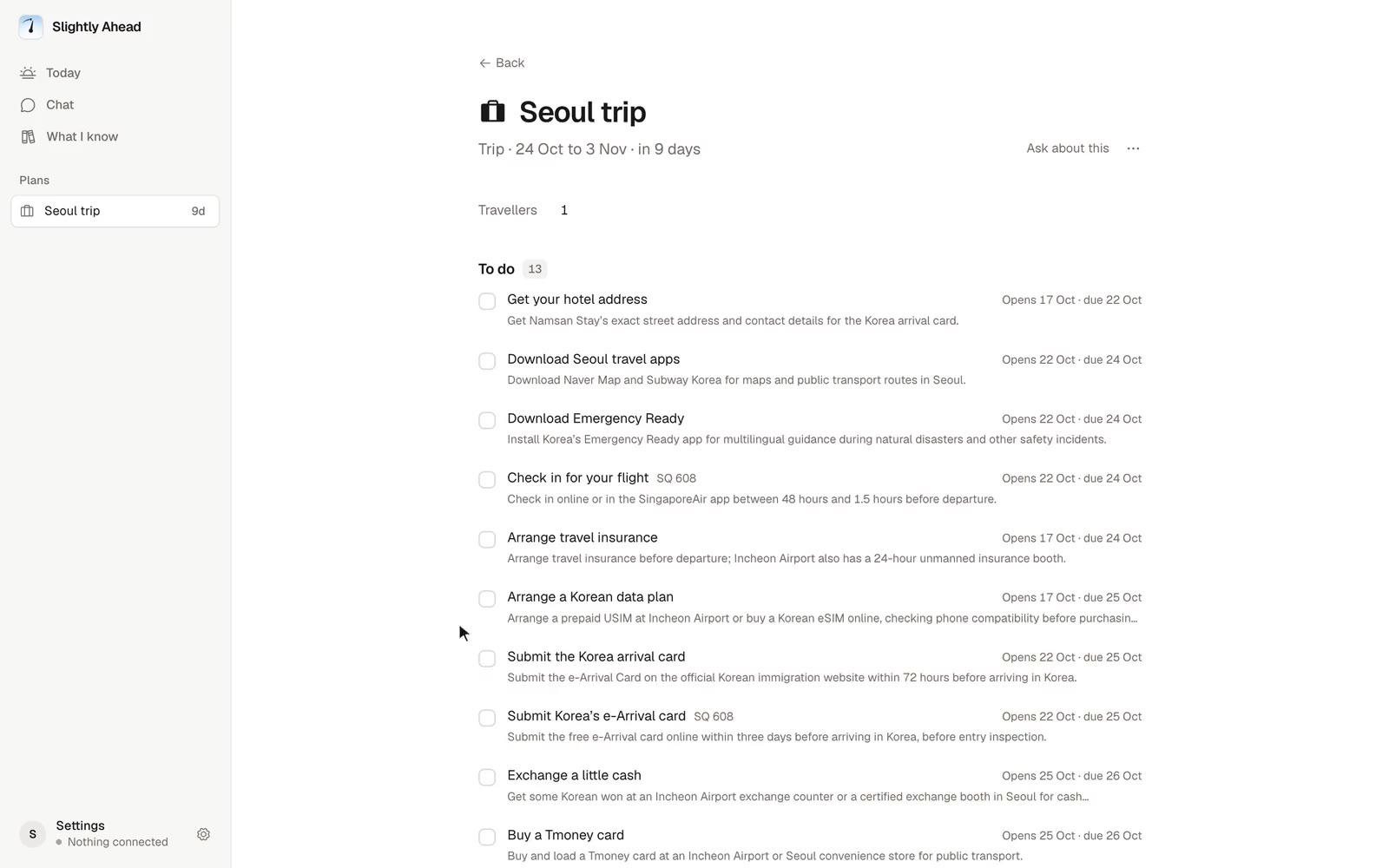
Your coming weeks fill with emails, events and plans. One of them, an airport train strike on the morning you land in Seoul, needs you. A trip to Seoul: Slightly Ahead checks the entry rules, sees you land at 06:50 with no room until 15:00, and reminds you of a birthday on the day you fly home.

Each app knows one piece. You're left to connect them.

A strike in the news, your train in your calendar, breakfast with Jun in your email. Slightly Ahead puts them together and says what to do.

  1. Checked for you

    Airport train strike

    Staff walk out from 25 Oct

  2. Your calendar

    Airport train to Seoul

    25 Oct, 07:30

  3. Your email

    Breakfast with Jun

    25 Oct, 09:00, Myeongdong

Needs you soonSeoul trip · 25 Oct

Your airport train may not run

  • Staff strike on 25 Oct, the morning you landChecked for you
  • Your 07:30 train to Seoul Station may not runYour calendar
  • The 07:10 limousine bus still gets you to breakfastYour email

Take the 07:10 limousine bus from Incheon

Tell Jun you might be 15 minutes late

Not just trips.

Anything with a date and a catch: travel, work, home, money, family, appointments. It says which one needs you, and why.

  • Travel · Email

    Your flight home now lands at 23:50

    Singapore Airlines moved SQ 609 from 19:10. The last airport train leaves at 23:30.

  • Work · Email and calendar

    Client review moved to Thursday, 09:00

    It clashes with your physio. The 11:30 slot that day is still open.

  • Home · Email

    Lease notice is due by 30 Nov

    Your landlord needs 60 days' notice if you're moving out in January.

  • Money · Email

    Car insurance renews on 3 Nov, for more

    The renewal email has a higher price than last year. You can still switch.

  • Family · Email and calendar

    Mia's swimming lessons move to Saturdays

    From 7 Nov, the same morning as her football. The club emailed on Tuesday.

  • Appointments · Email and calendar

    Blood test moved to Saturday, 08:00

    That's the day you fly to Seoul. The Tuesday slot is still open.

Here it is, working.

The clip is the real app on my own trip, names changed. Today shows what needs you, Chat answers what you ask.

How it works

  1. Tell it what's going on

    A deadline at work, a renewal you keep forgetting, a trip next month. In your own words.

  2. Connect Gmail and Calendar

    Read-only. It never sends, replies or deletes, and you choose what to connect.

  3. Hear from it when it matters

    No digest of everything. An Update when something changed, a notification when it can't wait.

Built to stay quiet

Most days, you won't hear from it.

It checks new mail as it arrives, and only speaks up when something changed that you'd want to know.

Read-only, always.

It can't send, reply, delete, buy or mark anything read. It never acts for you, so there's nothing to approve. Disconnect any time.

How your data is handled

Pricing

One plan with everything in it. Sales tax is added where it applies.

  • US$144 a year

    US$12 a month, paid once a year

  • US$15 a month

    Paid monthly, cancel any time

14 days free, no card needed. It stops reading at the end unless you subscribe.

Get started

Questions

Who makes it?

One person, who built it for their own trips and runs it on them.

Is it free?

No, it's US$15 a month, or US$144 a year, plus sales tax where it applies, after a 14-day free trial. No card to start; when the trial ends, it stops reading until you subscribe.

Can it send, reply or buy anything?

No. It reads your email and calendar and tells you what changed, and nothing more.

Do I have to connect Gmail?

No. Start by chatting: tell it what is coming up and it keeps an eye on it. Connect Gmail and Calendar whenever you like.

Where will I hear from it?

In the app, on Today. When something can't wait, a notification on your phone or computer, once you turn them on. You choose which parts of your life may interrupt you.

What does it keep?

A short note from each email that matters, never your whole inbox. Every plan and interest it keeps is listed, and you can correct or stop any of them.

What happens if I leave?

Disconnect and it forgets what it learned there. Delete your account and everything goes at once.

Why does Google say the app is unverified?

Slightly Ahead is in early access, and Google hasn't reviewed it yet. The screen is Google's; the access behind it is read-only. Choose Advanced, then continue.

Know what changed before you need to ask.

Tell it about your plans first, and connect Gmail and Calendar whenever you like.

Get started

14 days free, then US$15 a month or US$144 a year, plus tax. No card needed. Read-only.